
Employees
Seren Employees
Seren Employees are AI coworkers you can give one-time or ongoing work. Give each employee a clear role, the knowledge and connected accounts it needs, and boundaries around what it can do. Work with them on the web, in Seren Desktop, or from the tools your team already uses.
On the web
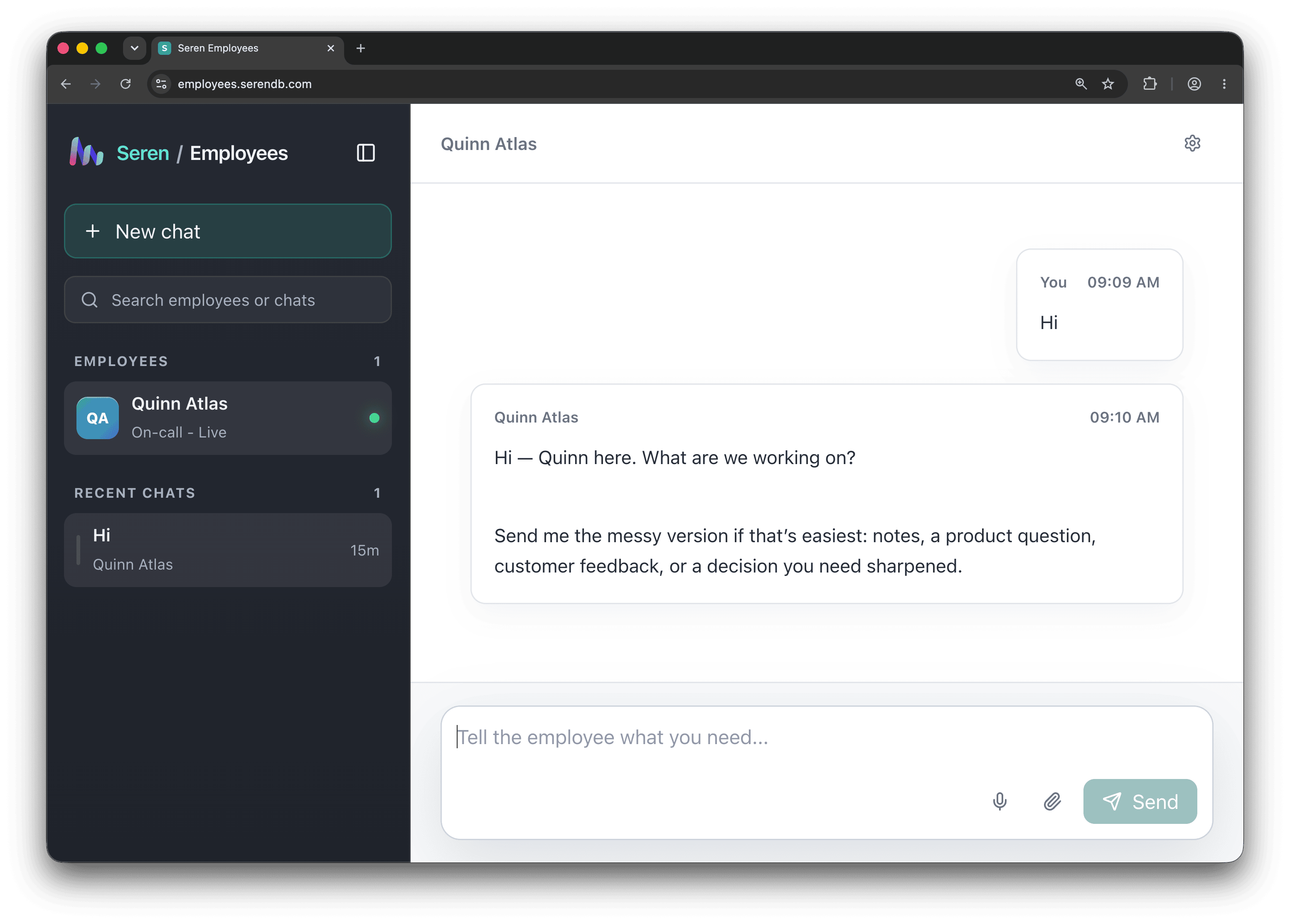
Chat with employees on the web
The hosted Employees app is a conversational workspace: start a chat, hand an employee the messy version of a task, and let it work while you stay in control.
On the desktop
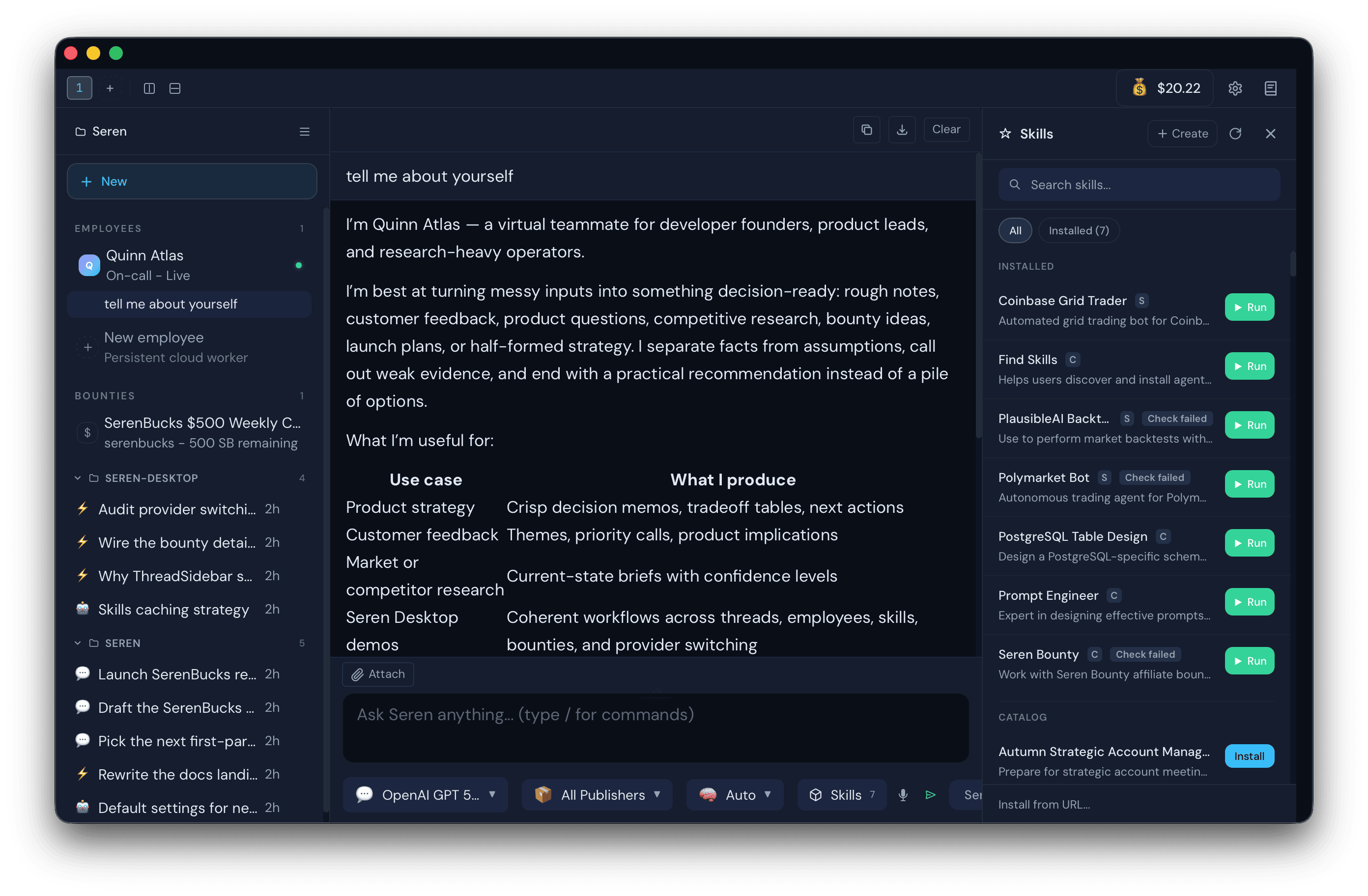
Run employees inside Seren Desktop
Seren Desktop is an AI workspace for knowledge workers and engineers: chat with top models, install skills, create reusable employees, and connect accounts so employees handle repeatable work locally or continue in Seren Cloud.
CLI, MCP and Skills
Bring employees into your workflow
Employees are not limited to the web and desktop apps. Give them work from the Seren CLI, reach them from MCP-compatible assistants, and equip them with reusable skills for the jobs your organization needs done.
Connected channels
Reach employees where work already happens
Employees can receive messages and events from connected channels such as Slack, Telegram, Discord, and SMS, so a request raised in chat can start work without anyone switching tools. Channel access is connected per employee, sensitive credentials stay in controlled storage rather than prompts or configuration files, and the same review rules apply no matter where a request came from.
Credentials
Connect exact fields through Seren Passwords
Desktop and Employees derive credential requirements from the current managed-agent revision. The Passwords setup asks authenticated participants to map and sign only those fields. The employee never receives a personal Seren API key or plaintext in its prompt.
Core applies only the approved mapping and expected revision. The client reads the deployment back before it reports success. Explicit revocation or a binding change stops later material renewal.
Memory across sessions
Carry reviewed context into future work
The Seren CLI can add lifecycle hooks to Codex and Claude Code. At session start, an agent receives a bounded set of reviewed private memories. After a completed turn, Seren Memory can extract durable facts from policy-permitted prompts and responses. A reviewed memory from either platform can inform a later session on both platforms.
Organization policy controls whether capture is active, which agent platforms can use it, and whether prompts or responses are included. The policy also limits transcript size and cached-policy grace during control-plane outages. Seren filters common secret patterns before delivery. Stable source IDs prevent duplicate capture after repeated delivery of the same turn.
These extracted memories remain private to the authenticated user inside the organization. They do not become shared organizational knowledge. Organization collaboration reads selected knowledge without writing the run into that knowledge or into personal memory.
Organization collaboration
Make shared work explicit
Organization administrators can opt in, assign an employee, and choose which organization capabilities it can use. An organization run can select governed knowledge and an organization-defined task label. Existing employee work stays personal unless the request explicitly selects organization collaboration.
The organization policy sets the maximum authority. The employee assignment narrows it. Enabling the policy does not grant access by itself, and a failed organization request never continues as personal work.
Seren binds each organization run to the current user, employee, deployment, policy, assignment, knowledge selection, and output audience. Memory, Passwords, Storage, and Skills still check their own current grants before every protected operation. Disabling the policy or revoking one of those grants blocks later protected operations without sharing the underlying credential or data with the employee.
Seren Core creates a short-lived, signed work context for each authorized run. The context records the requested boundary, but it is not a resource grant. Clients never create or edit this context.
The organization audit chain records policy changes, assignment changes, authorized operations, and denied operations. Revocation blocks the next protected call without falling back to individual work.
A connected channel can start normal employee work, but it does not automatically grant organization knowledge or make the channel an organization audience. Channel-scoped organization collaboration is not enabled yet. Core currently accepts direct organization runs only.
Browser work
Use a managed browser
Browser-enabled cloud employees can navigate websites, read rendered pages, fill forms, and complete multi-step browser work in a dedicated managed session. Seren starts and supervises the browser with the employee, and the session is not shared with other deployments.
The trusted employee runtime controls the browser. Sandboxed skill code does not receive the browser endpoint and cannot reach the pod network. Each Playwright invocation gets an isolated Chromium process. For the full browser profile, Seren encrypts supported browser storage state and restores it for the same employee and skill across runs. Temporary downloads are removed unless the skill places them in approved storage.
Use a browser-service publisher when a workflow needs provider-managed sessions, residential egress, or another specialized browser environment. Its credentials, permissions, approvals, and metering remain inside the publisher boundary.
Files and working data
Give each employee the storage it needs
Attach an organization storage bucket to an employee with reader or writer access. The grant applies only to that employee identity and can be revoked without affecting anyone else's access. Employees with writer access can optionally keep encrypted workspace snapshots so their working files return when the cloud runtime is replaced or restarted.
Skills that need structured working data can declare a database. Seren creates and manages it automatically, so you do not have to set up a project, copy connection details, or manage a database password. Organization scope lets employees, swarms, and organization members that use the same skill share records. User scope keeps each user's data separate. SerenDB encrypts the underlying storage at rest. Database roles and authorization isolate each organization's records.
Use a skill database for authoritative records, queues, and coordinated updates. Use Memory for recalled knowledge and context, and use Storage for files such as reports, attachments, and exports.
Protected skill execution
Skills use the employee's access without receiving its sign-in key
Seren gives each cloud employee its own limited identity automatically. You do not need to copy your personal Seren API key into an employee. When a hosted skill calls an approved Seren service, the platform checks the skill and employee permissions and makes the request on their behalf.
Hosted skill code runs in an isolated workspace without open network access to the employee or its connected accounts. Account credentials stay with Seren Passwords, the selected connector, or the service that uses them instead of being placed in the skill's instructions or configuration.
Human review
Let routine work flow. Review important actions.
Employees can gather information, search connected sources, and prepare work without stopping for approval. When an employee is ready to make a protected change - such as publishing a report, acknowledging an alert, or posting an incident update - Seren pauses and shows you the exact proposed action.
Approving a request allows only the action shown. If its details change, the employee must ask again. If you decline or leave the request unanswered, no change is made. For work that must never make changes, give the employee read-only access so it can investigate and report while Seren blocks write actions.
For developers
Build a read-only employee dashboard
Bring employee health, recent activity, usage, and pending reviews into one view. The SDK examples show how to assemble a dashboard without giving it permission to change employee settings or take actions on their behalf.